slot zeus Mobile App
We at slot zeus offer mobile access through Android APK download, iOS browser, and web app so you can deposit, withdraw, and access football, live-dealer tables, and slot games from your phone on standard 4G or 5G networks.
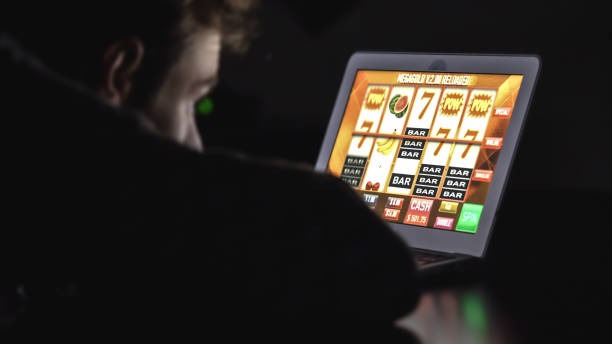
- Update
- DownloadAPK
- and
- StartFirst Game
Mobile-first design means faster login, instant balance updates, and seamless payment processing through DANA, e-wallet, mobile banking, local payment, online payment, e-wallet, and bank virtual accounts (mobile banking, local payment, online payment, e-wallet). Whether you're in Jakarta, Surabaya, Bandung, or elsewhere in supported regions, our app syncs your account across all devices.
This guide covers Android installation, iOS browser access, web-app setup, device compatibility, common troubleshooting, and account security on mobile. Our services are available only where local law permits; verify your jurisdiction before opening an account.
Getting slot zeus on Your Phone
Android APK installation
We provide a direct APK download for Android devices running version 7.0 or later. Download the APK file from our website, enable "Unknown Sources" in your device settings, then tap the file to install. The app opens directly to the login screen; enter your username and password to access your account. No Google Play Store required.
iOS browser and web app
iOS users access slot zeus through Safari or Chrome browser. Visit our website, log in, and bookmark the page for quick access. We also offer a web app that works on any modern browser (iOS 12+, Android 7+, desktop). The web app caches game data locally, so you can browse your account even on slower connections.

Installation steps
-
1
Download the APK or open browserStep 1
Android: download APK from our site. iOS: open Safari and visit slotzeus.app.
-
2
Install or bookmarkStep 2
Android: enable Unknown Sources, tap APK to install. iOS: tap Share, then Add to Home Screen.
-
3
Log in to your accountStep 3
Enter your username and password; tap Sign In.
-
4
Start using slot zeusStep 4
View your balance, deposit via DANA or e-wallet, and access games.
Key takeaways
- Android APK installs directly; no Play Store needed
- iOS users access via Safari browser or web app
- All devices sync your account in real time
- Deposit and withdraw on mobile using mobile banking, local payment, online payment, e-wallet, mobile banking, local payment, or bank virtual accounts
- Works on 4G/5G; web app caches data for slower connections
App vs Browser and Device Compatibility
Android app vs web browser
The Android APK app offers offline caching, push notifications for deposits and withdrawals, and faster game loading compared to the browser. The web app works on any device and requires no installation; it syncs your account instantly and updates your balance in real time. Choose the app for speed and notifications; choose the browser for flexibility and no storage space required. Both paths access the same account and payment methods.
Device requirements
Android APK requires Android 7.0 or later. iOS browser access requires iOS 12 or later. Web app works on any modern browser (Chrome, Safari, Firefox, Edge) on desktop, tablet, or phone. Minimum network speed is standard 4G; 5G recommended for live-dealer tables. Older devices may experience slower game loading; we recommend updating your OS if possible.
Common installation issues
If Android installation fails, check that Unknown Sources is enabled in Settings > Security. If you see a certificate warning, tap "Install anyway" — our APK is signed and secure. If the app crashes on startup, clear your cache in Settings > Apps > slot zeus > Storage > Clear Cache. For iOS, if the web app won't load, clear Safari cache in Settings > Safari > Clear History and Website Data. If you're on a slow connection, wait 10-15 seconds for the app to fully load before tapping buttons.
Data, permissions, and account security
The slot zeus app requests permission to access your device's internet connection and storage (for caching game data). We do not access your contacts, camera, or location. Your login credentials are encrypted and stored securely on your device. We recommend enabling two-factor authentication in your account settings for extra security. Never share your password or login code with anyone. If you lose your device, log in to your account on another device and change your password immediately.
Payment and Account Tips
Deposits on mobile are processed through DANA, e-wallet, mobile banking, local payment, online payment, e-wallet (scan-and-pay), and bank virtual accounts (mobile banking, local payment, online payment, e-wallet). Tap the Deposit button, select your payment method, and follow the on-screen prompts. mobile banking is fastest for quick top-ups during Liga 1 or Piala Indonesia matches. Withdrawals go back to your original payment method; processing times vary by bank but typically complete within standard business hours.
Keep your app updated by checking for new versions in your device's app store or on our website. Updates include security patches, new games, and performance improvements. Log out when you're done playing, especially on shared devices. Your account balance is always visible on the home screen; tap Transactions to see your deposit and withdrawal history.
Our services are available only where local law permits. Verify that access and use comply with your jurisdiction's regulations before opening an account. If you have questions about app installation, payment methods, or account security, contact our support team through in-app messaging or email. We provide English-language support during business hours.